SwiftSpeak Logo
OPEN SOURCE

SwiftSpeak

Voice-to-text for iOS and macOS, done well. Hotkeys, keyboard extension, formatting on the fly, meeting recording with AI summaries. More features than commercial apps that charge $100+/year, but free because one person built it in a few weeks with AI. Bring your own API keys or go fully offline with on-device engines if privacy matters to you.

Free forever 100+ languages Works offline
📱 iOS 🖥️ iPadOS 💻 macOS
SwiftSpeak Main App
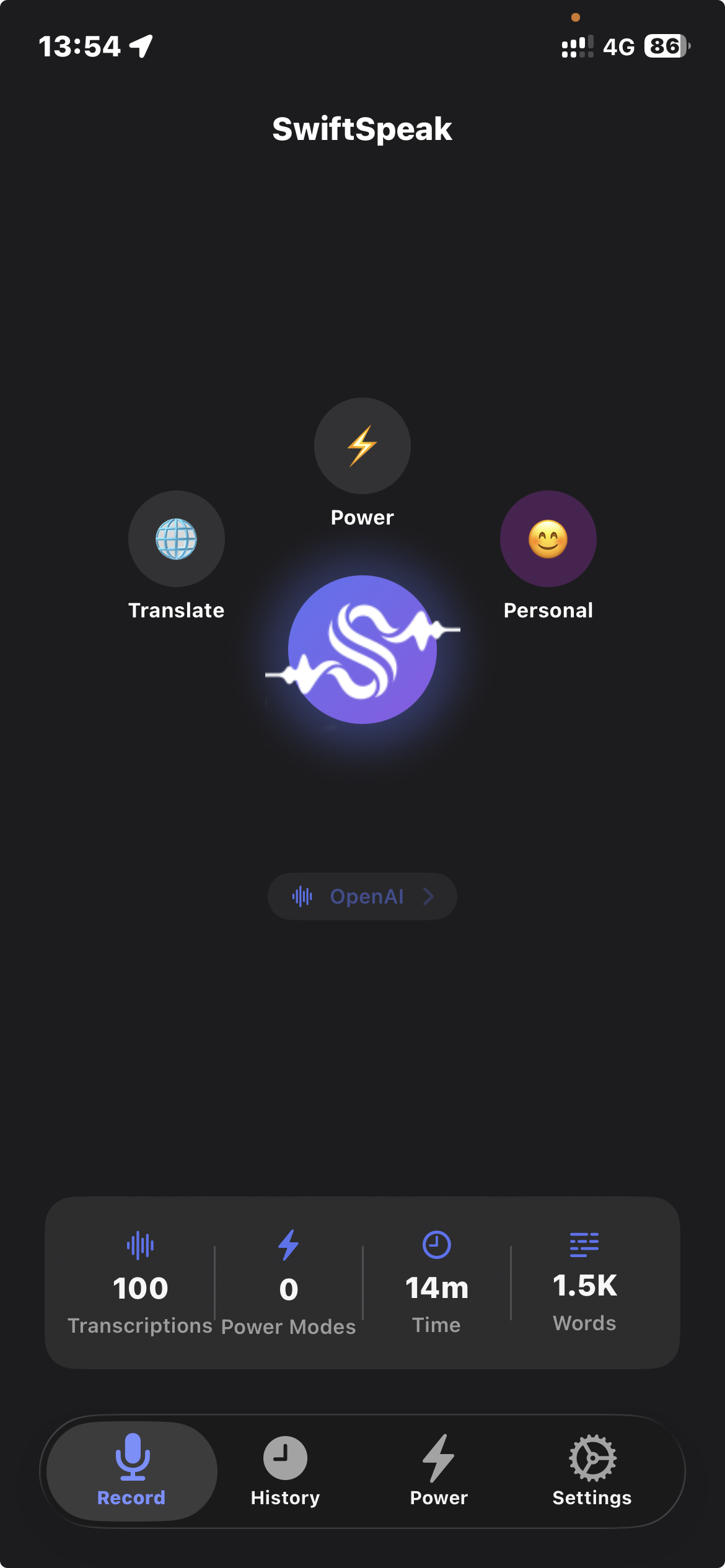
Main App
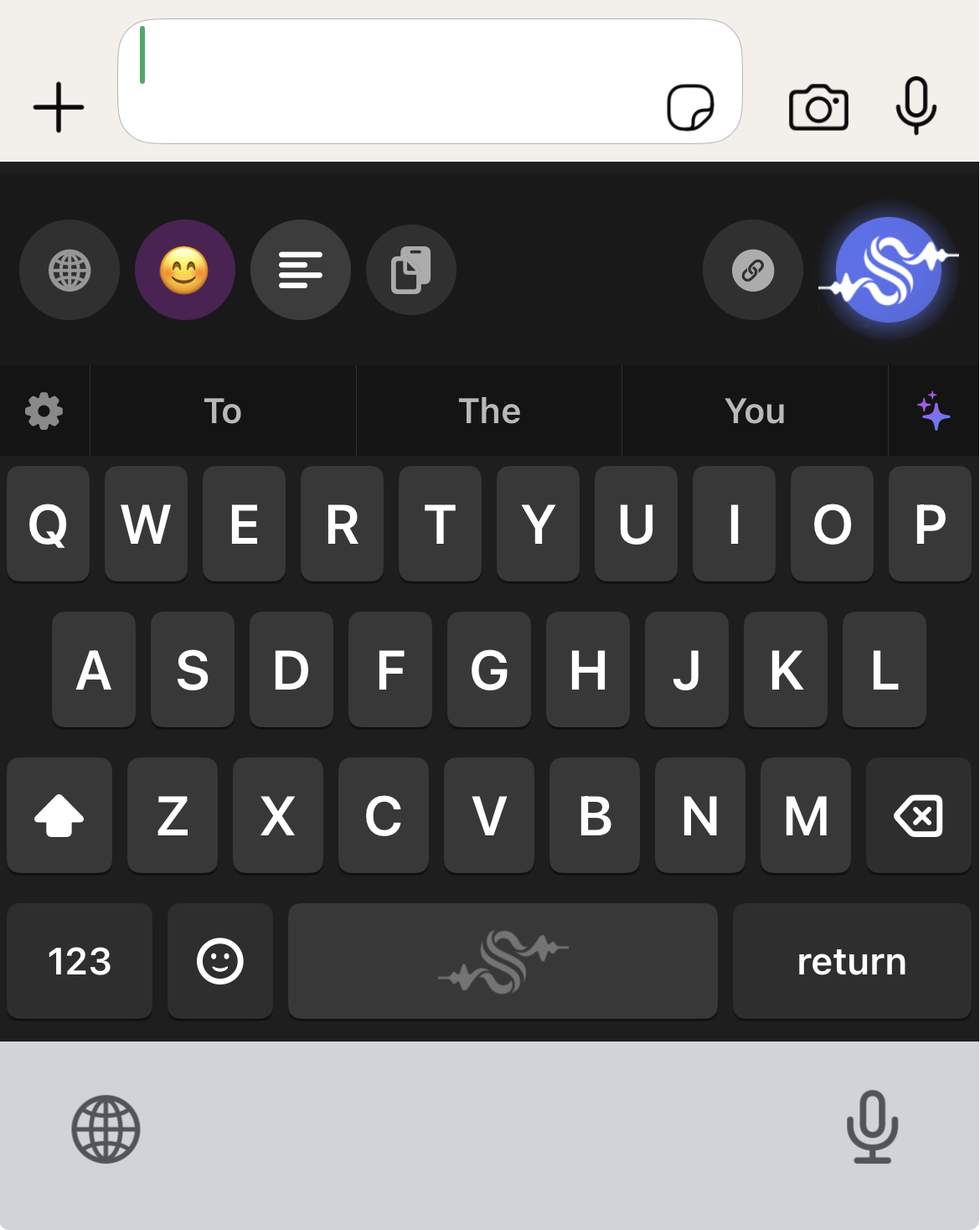
SwiftSpeak Keyboard
iOS Keyboard
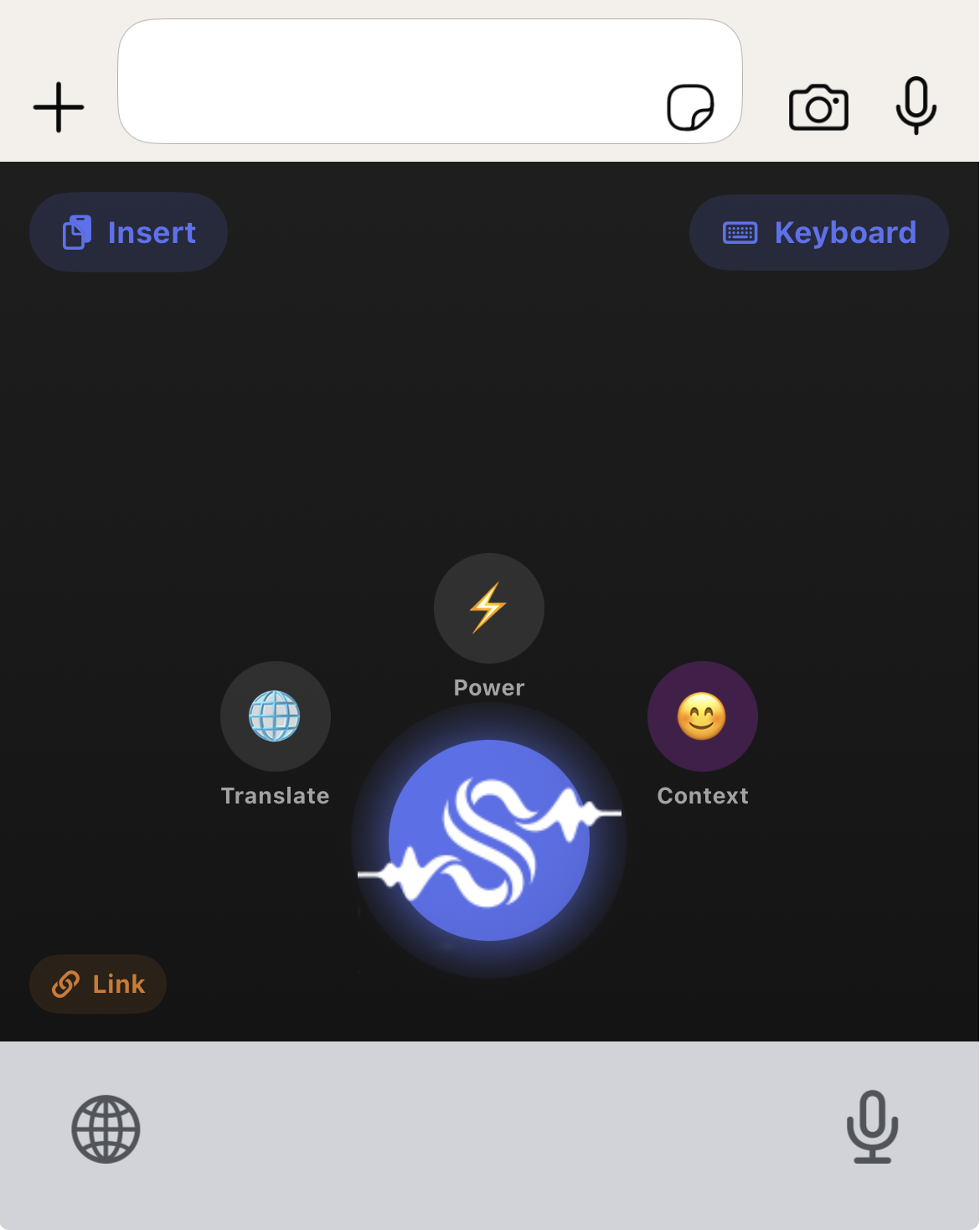
SwiftSpeak Keyboard Modes
Quick Modes
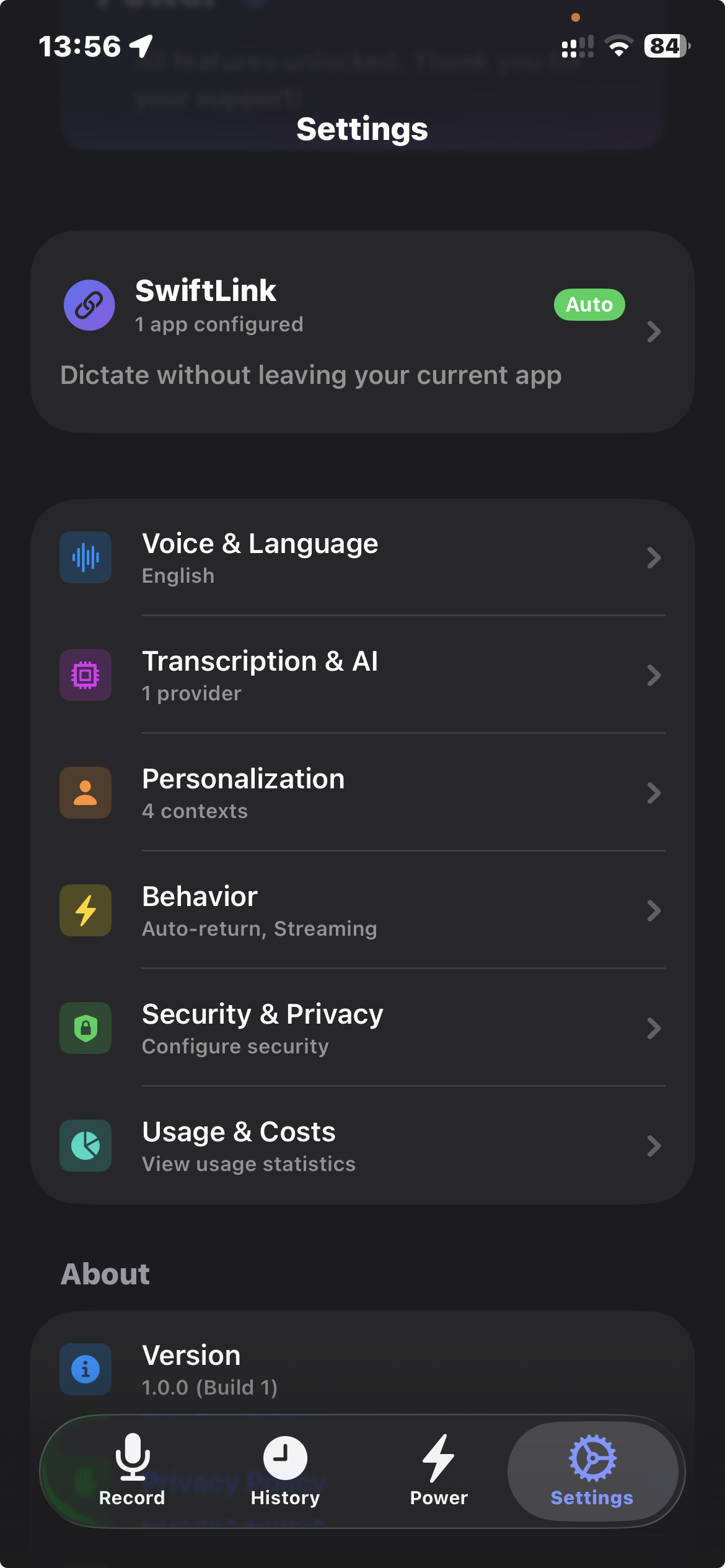
SwiftSpeak Settings
Settings

What it does

Built-in dictation gives you raw text. SwiftSpeak formats it before it hits the page.

😤

Built-in dictation

Raw text, manual cleanup

hey john just wanted to let you know that the project is delayed because we found some bugs in the code and we need to fix them before we can ship it to the client so the new deadline is going to be next friday instead of this wednesday hope thats okay let me know if you have any questions

No punctuation, no formatting, needs editing

With SwiftSpeak

AI-formatted, ready to send

Hi John,


Quick update on the project timeline: we discovered some bugs that need to be resolved before the client release. The new deadline is Friday instead of Wednesday.


Let me know if you have any questions.


Best regards

Professional email, ready to send

It learns how you write

Show it an example of your writing and it matches your voice from then on. Different contexts for different apps.

✍️

Show, don't tell

Paste one example of how you write. The AI matches your style from that point on.

🔄

Context switching

Gmail activates your Work context. WhatsApp activates Personal. Automatic, per app.

🧠

Memory

Three tiers: global, per-context, and per-session. The more you use it, the better it gets.

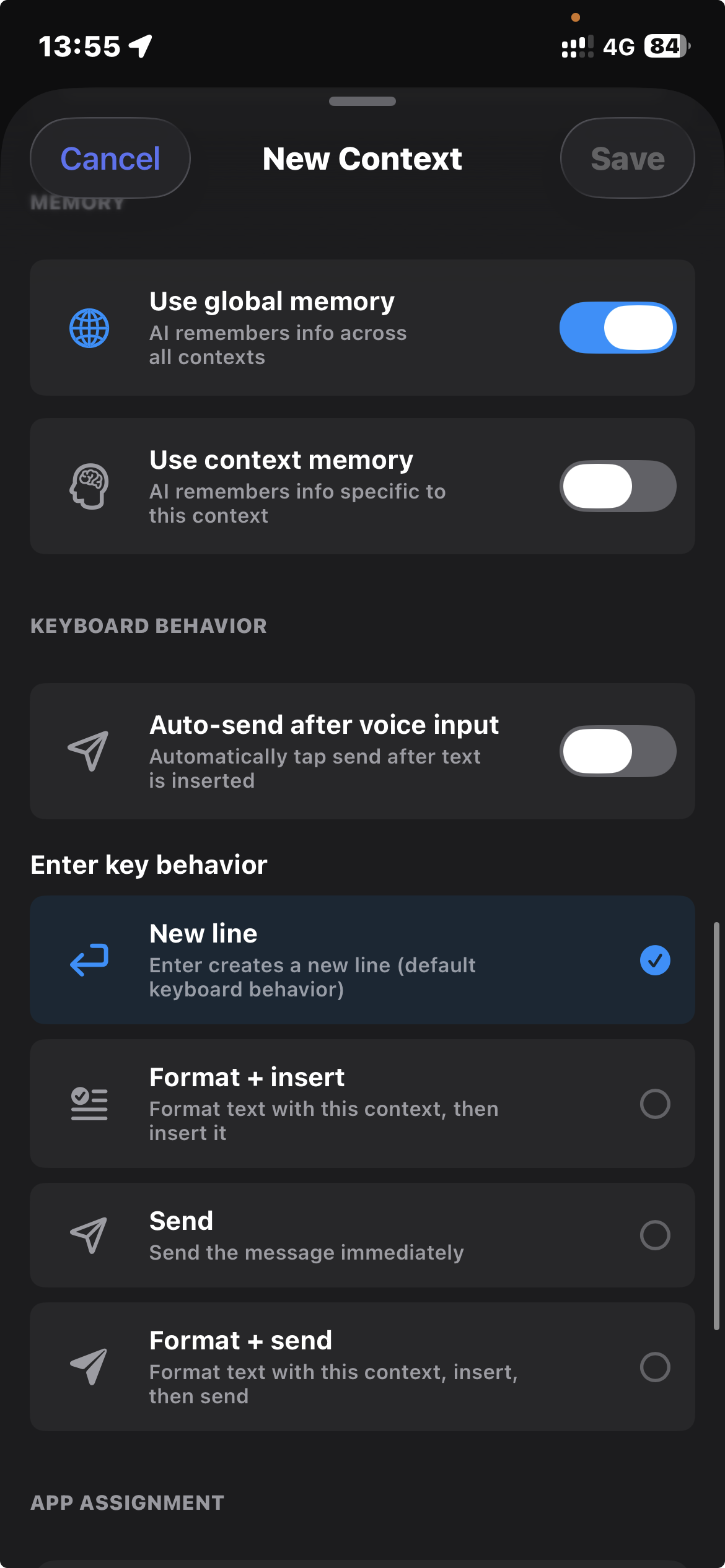
CONTEXT EDITOR Configure how AI formats your voice per context
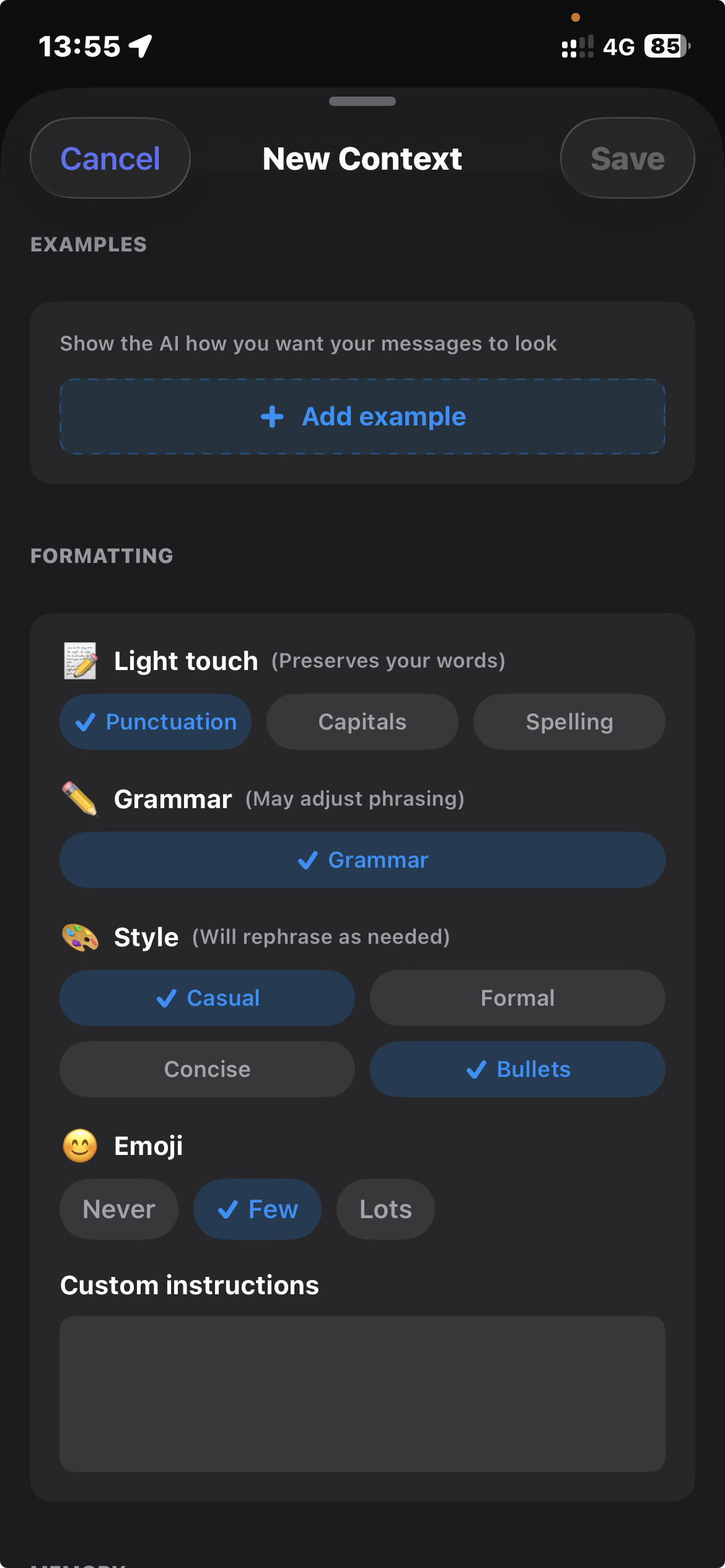
Context Editor - Formatting

Examples & formatting chips

Context Editor - Memory & Behavior

Memory & keyboard behavior

Few-shot examples 7 domain types Formatting chips Custom instructions Per-context memory App assignment

Power modes

Voice-activated AI agents with memory, documents, and webhooks. Not templates.

🎤

Your Voice

📋

Instructions

📚

Your Docs

🧠

AI Memory

🔗

Webhooks

📄

Output

📚

Document RAG

Attach PDFs, research papers, notes. The AI reads them before answering, with citations.

🧠

Per-mode memory

Each Power Mode keeps its own memory. Your Research Assistant remembers your papers.

🔗

Webhooks

Send results to Slack, Notion, Zapier. Fetch context from APIs before processing.

🔀

Compare & refine

Generate multiple versions. See the diff. Pick the best one. Refine with follow-ups.

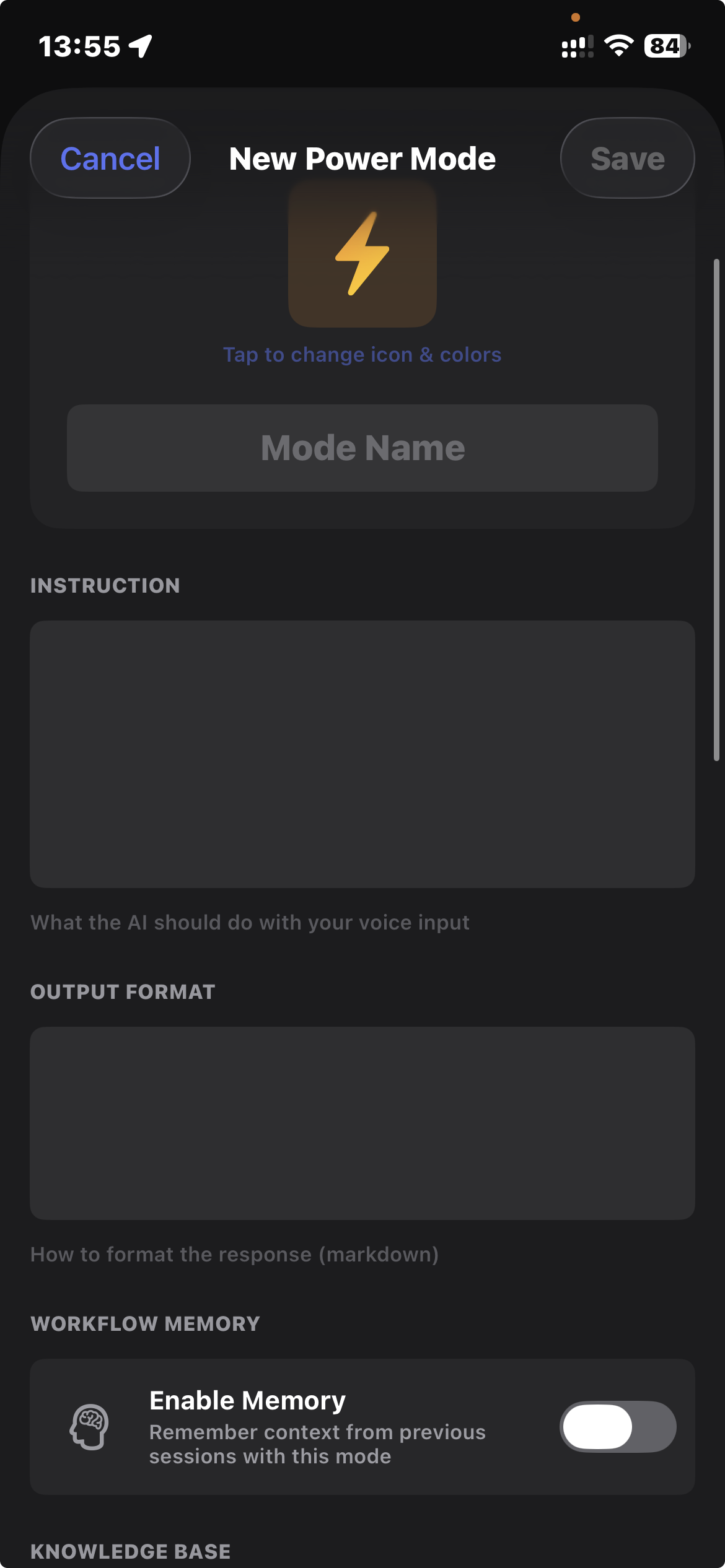
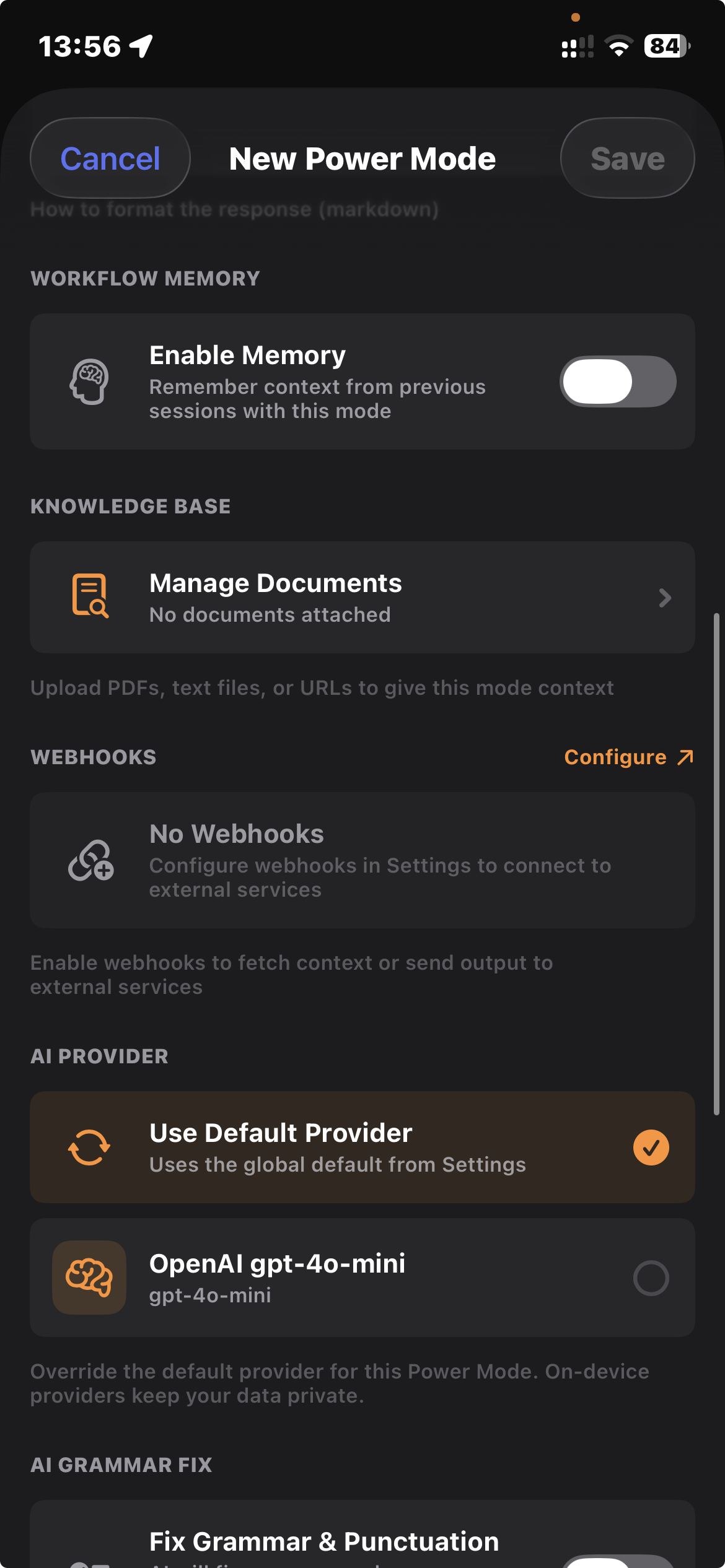
POWER MODE EDITOR Build custom AI workflows with documents, memory, and webhooks
Power Mode - Instructions & Memory

Instructions & workflow memory

Power Mode - Documents & Webhooks

Documents (RAG) & webhooks

📧

Email Composer

Draft professional emails from casual speech

🔬

Research Assistant

Attach papers & docs, get cited answers

💻

Code Reviewer

Describe changes, get formatted commits

📝

Meeting Notes

Record meetings, get structured summaries

📱

Social Media

Voice your thoughts, get polished posts

🎨

Custom Agents

Build your own voice-activated workflows

Works in any app

SwiftSpeak detects which app you're in and activates the right context automatically.

Gmail

Gmail

Slack

Slack

WhatsApp

WhatsApp

Messenger

Messenger

Teams

Teams

Notion

Notion

Figma

Figma

Zoom

Zoom

LinkedIn

LinkedIn

X

X

Discord

Discord

Telegram

Telegram

Auto-context examples

Gmail

Gmail opens

→ "Work" context activates

Formal tone, business jargon

WhatsApp

WhatsApp opens

→ "Personal" context activates

Casual tone, emoji allowed

Slack

Slack opens

→ "Technical" context activates

Code terms, concise style

Features

🍎

Works everywhere

iOS keyboard, macOS menu bar, system-wide hotkey. Dictate in any app, on any Apple device.

🤖

10+ AI providers

OpenAI, Anthropic, Google, Deepgram, AssemblyAI, DeepL, and more. Bring your own API keys.

🌍

100+ languages

Speak in any language, get text in another. Quality indicators show accuracy per language.

🎓

Domain vocabulary

Medical, legal, technical, financial, scientific jargon. Add your own terms and acronyms.

📝

Custom templates

Define your own formatting prompts. Email, casual, formal, or anything you need.

🔒

Privacy mode

WhisperKit, Apple Intelligence, Apple Translation. Fully on-device, works offline.

📊

Cost analytics

See exactly what you spend. Daily, weekly, monthly breakdowns by provider.

🔓

Open source

Free. No subscriptions. No seat limits. Use it, fork it, build on it.

Cloud or on-device, your call

Use cloud providers for best accuracy, or keep everything local for privacy. Mix and match.

☁️

Cloud providers

Best accuracy, your API keys

  • OpenAI (Whisper, GPT-4)
  • Anthropic (Claude)
  • Google (Gemini)
  • DeepL, Deepgram, AssemblyAI
🔒

On-device AI

Fully private, works offline

  • WhisperKit (voice recognition)
  • Apple Intelligence (formatting)
  • Apple Translation (25+ languages)
  • Privacy Mode forces local-only

Why this is free

I built SwiftSpeak in a few weeks, one person with AI coding agents. It does what apps charging $100-200/year do. If that's possible, the subscription model for this category of software doesn't have long. I'd rather share it.

What the competition charges

Wispr Flow

$12-15/mo

$144-180/year

Otter.ai Pro

$8.33/mo

$100/year, 1200 min cap

Otter.ai Business

$20-30/mo

$240-360/year

SwiftSpeak

$0

open source, forever

What you actually pay (API costs)

You bring your own API keys. These are the real costs from the providers.

Light use

50 short transcriptions/day

~$0.15/mo

Moderate use

150 transcriptions/day

~$0.45/mo

Heavy use

400 longer transcriptions/day

~$1.20/mo

Or use WhisperKit + Apple Intelligence for $0. Fully local, no API keys needed.

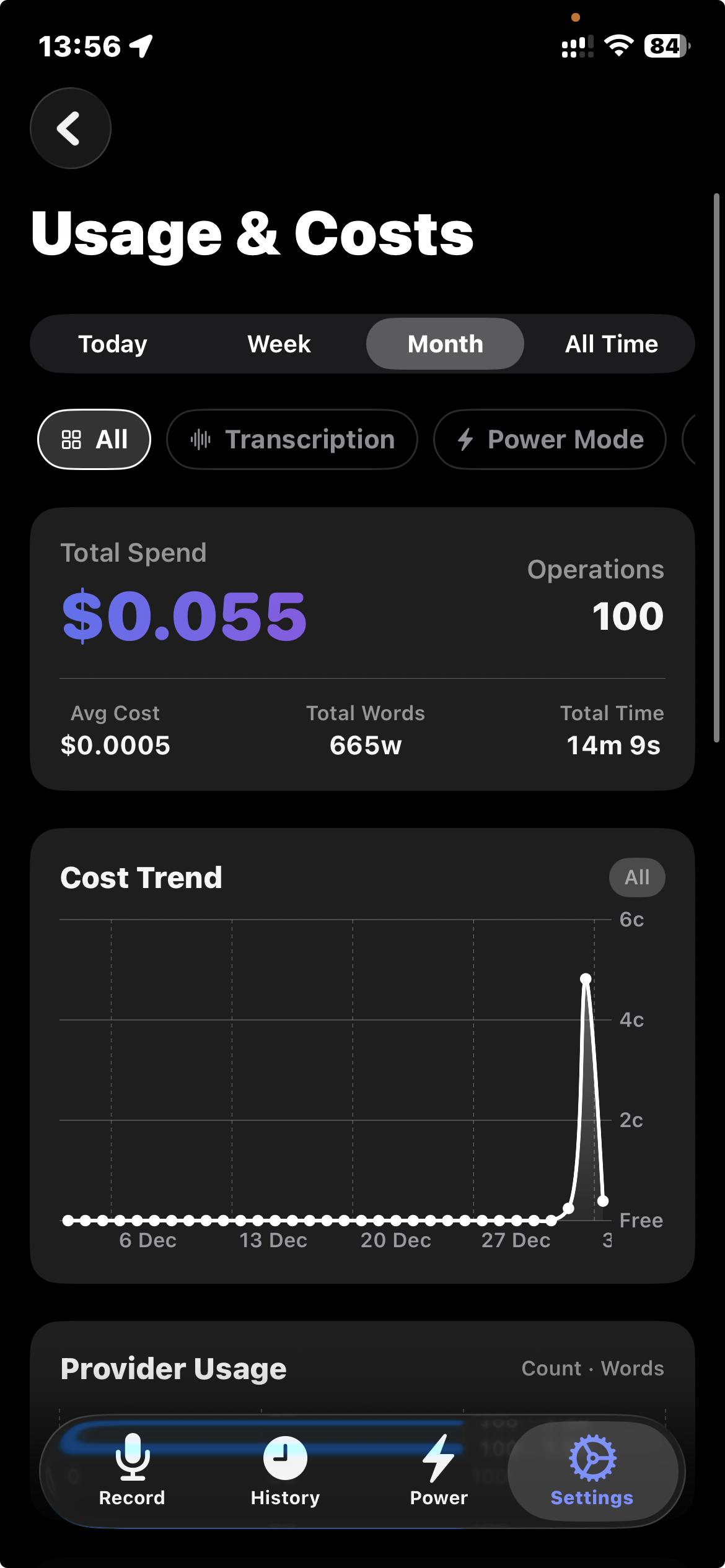
COST ANALYTICS Built-in dashboard so you see what each provider costs you
Cost Analytics - Overview

Total spend & trends

Cost Analytics - Breakdown

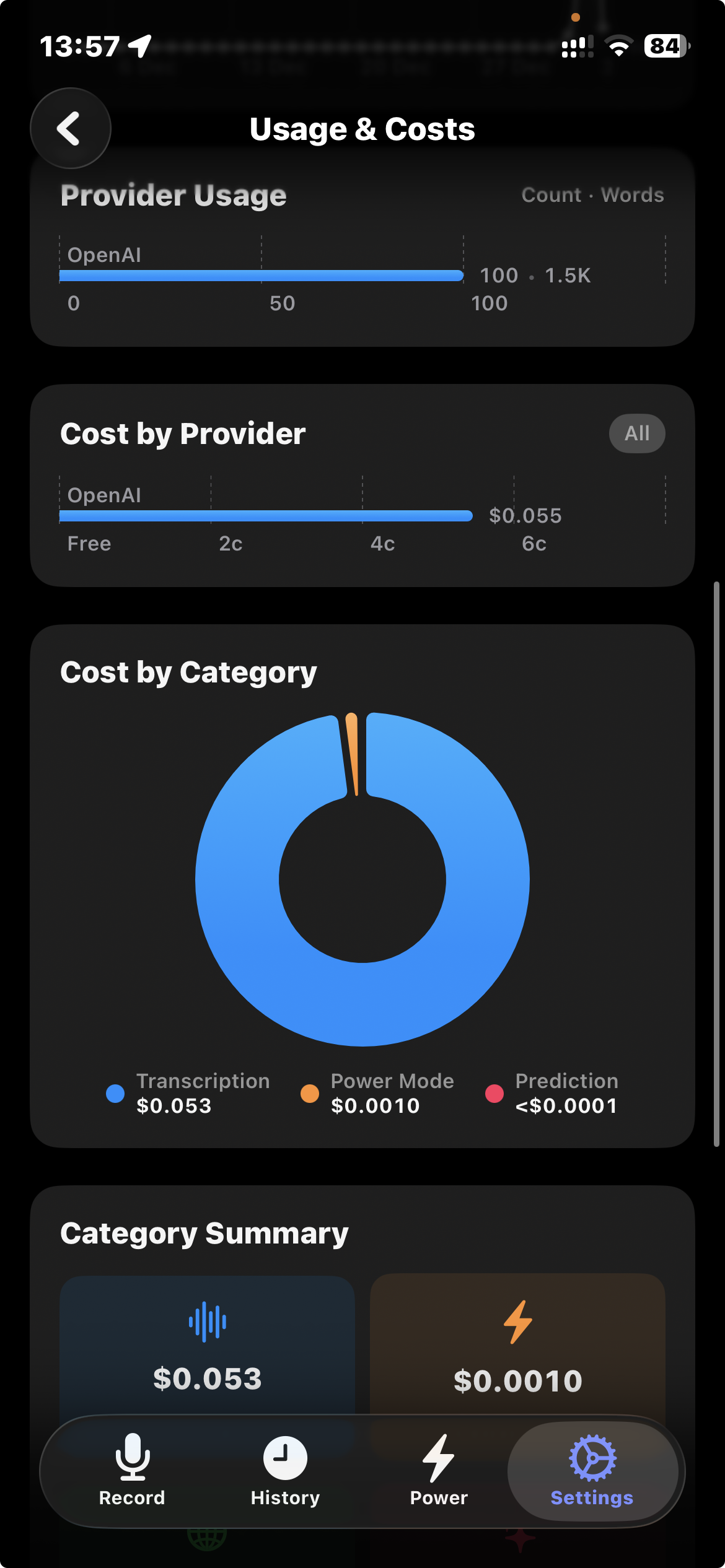
Cost by provider & category

Download SwiftSpeak

Free and open source. No account required, no subscriptions.

💻

macOS

Universal (Intel + Apple Silicon)

Requires macOS 13.5+

Download .zip

First launch: right-click the app → Open

📱

iOS

iPhone & iPad

Requires iOS 17.0+

Download .ipa

Sideload with AltStore or Xcode

Or build from source on GitHub

Already using DictAll for macOS? SwiftSpeak builds on the same ideas.