A singing practice app that turns any YouTube song into a pitch trainer. It separates the vocals from the music, plots the singer's pitch on a graph, and shows your voice on top of it while you sing. I built it because practicing at home without a teacher telling you "higher, lower" is mostly guesswork.
Paste a link, wait about a minute, start singing.
Drop any YouTube lyrics video link
AI separates vocals from the instrumental track
Extract the reference pitch from the vocal track
Your voice plots on top of the reference, scored in real time
I built Intonavio twice. The first version was a full client-server system, ready to ship as a paid product. But the app market is brutal, and the amount of polish needed to actually sell it was way more than what I had. So I stripped out the backend and made a local-only version that anyone can build and run for free.
Client-server
NestJS API with PostgreSQL and Redis
BullMQ job queue for stem splitting
Python worker with pYIN for pitch analysis
Cloudflare R2 for stems and pitch data
Apple Sign In, Google OAuth, JWT auth
Docker Compose on a VPS
The version I built to sell. Never shipped it.
100% on-device
SwiftUI + SwiftData, no backend
Calls StemSplit API directly from the app
On-device YIN pitch analysis (Accelerate/vDSP)
Stems and data stored locally on your phone
No account, no sign in, no subscription
You bring your own StemSplit API key
Same app, no server. Just clone and build.
| Component | Intonavio | IntonavioLocal |
|---|---|---|
| Data | PostgreSQL | SwiftData |
| Files | Cloudflare R2 | Documents directory |
| Pitch analysis | Python pYIN worker | On-device YIN (Accelerate) |
| Stem splitting | API via NestJS proxy | Direct from app |
| Job queue | Redis + BullMQ | Swift async Task |
| Auth | Apple/Google/JWT | None needed |
| Infra | Docker on VPS | Just Xcode |
Both versions feel the same when you're singing. The piano roll, scoring, and stem player are identical code. Only the plumbing behind it changed.
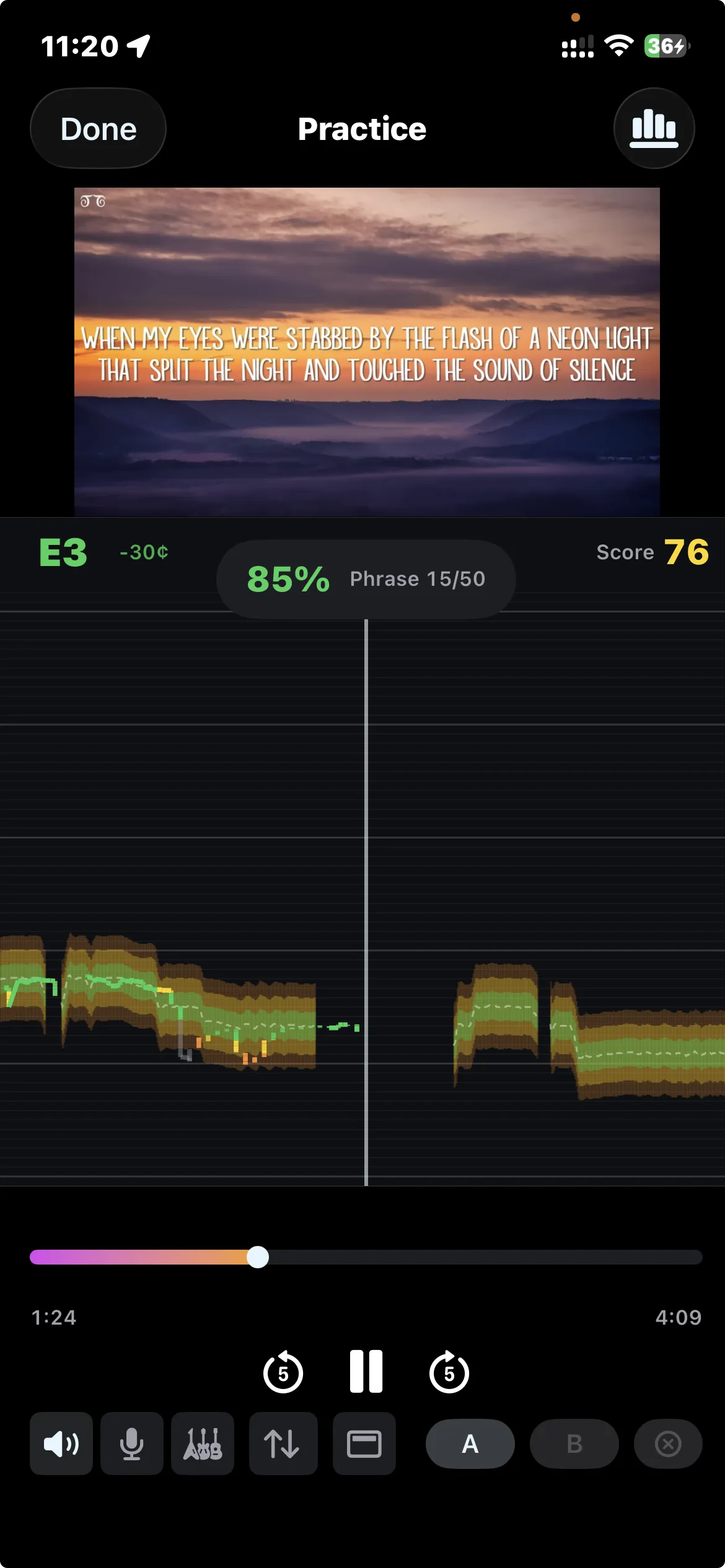
Lyrics at the top, piano roll pitch graph in the middle, controls at the bottom. Your voice is the green line. The reference is underneath.
The lyrics video plays at the top, scrolling in time with the music so you always know what to sing next.
The piano roll shows the original singer's pitch. Your voice draws on top of it, green when you're close, red when you're off.
Set A-B markers on any phrase. Slow it down, repeat it, get it right before moving on.
Original track, instrumental only (instant karaoke), or isolated vocals to study the singer's phrasing.
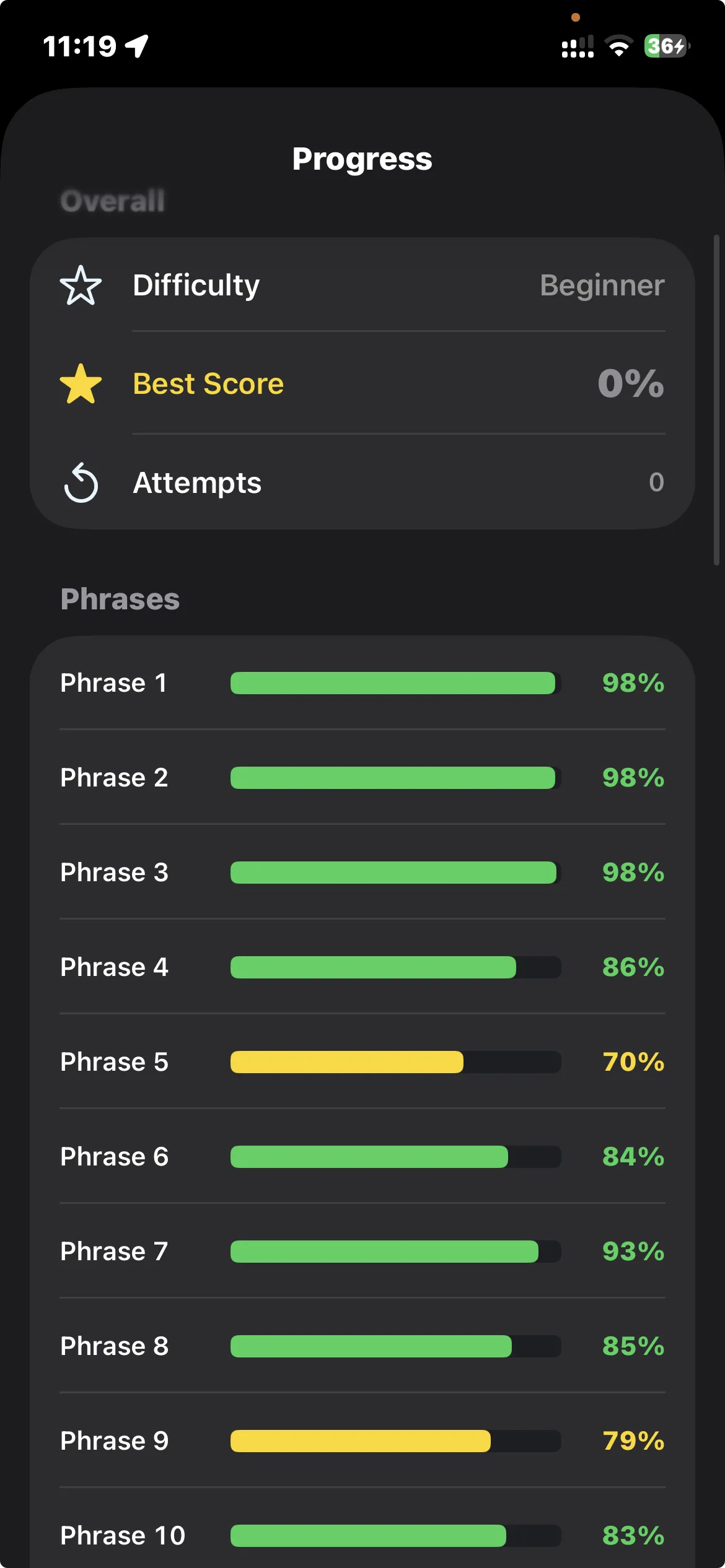
Every phrase gets scored individually so you know exactly which parts of a song need more work.
Beginner
Wide pitch tolerance. Just get in the neighborhood.
Intermediate
Tighter window. You need to be close.
Advanced
Almost spot on or it counts against you.
Without headphones, the mic picks up the song from the speakers and has to filter it out. Headphones keep your voice clean and the pitch detection more accurate.
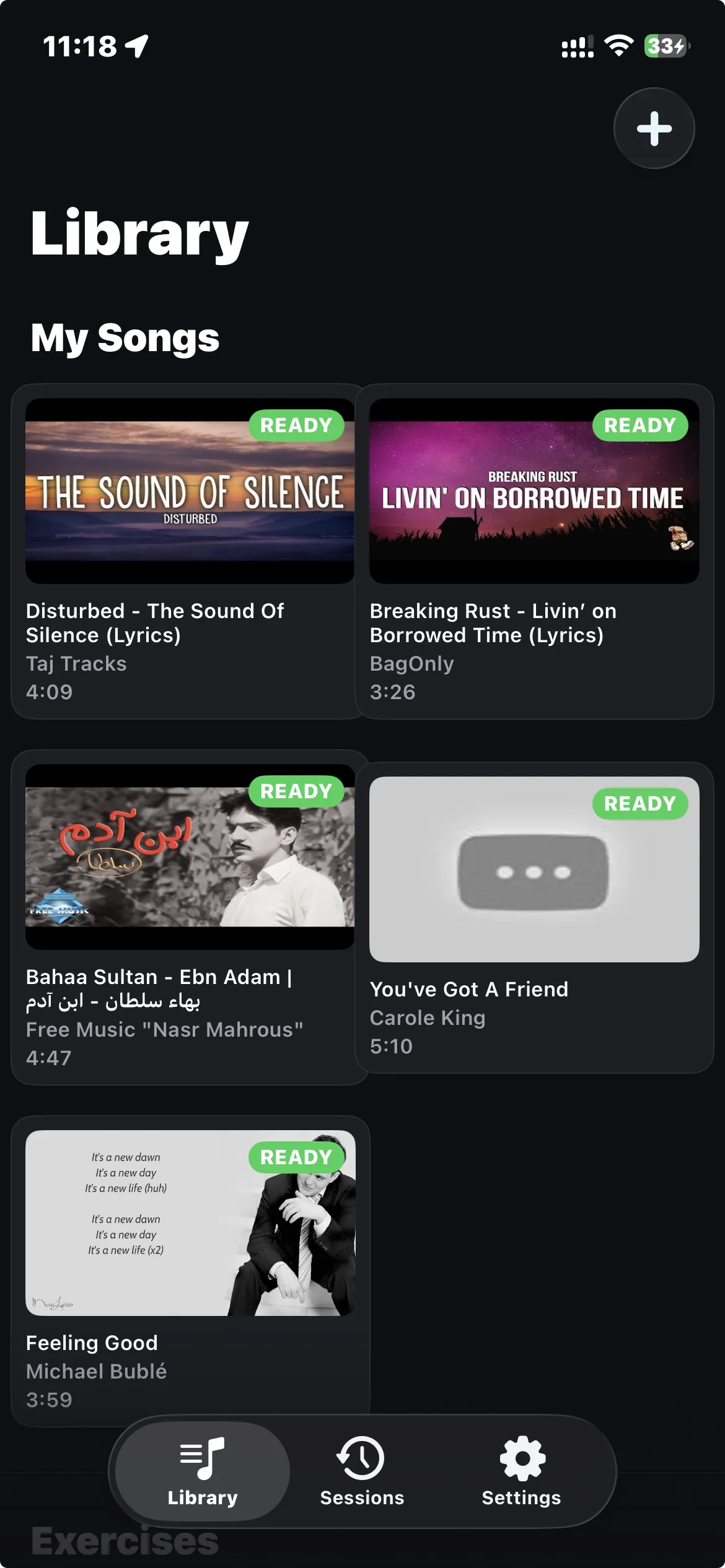
Paste a YouTube lyrics video URL. The app pulls the audio and prepares it for practice.
Vocals and instrumental split automatically. Karaoke any song, or isolate the singer to study their technique.
Sing into the mic and see your pitch plotted against the reference vocalist, live on a piano roll.
Lyrics scroll in sync with the pitch graph so you always know where you are in the song.
Set markers on any section and repeat it until it clicks. Slow the tempo if you need to.
See how you did on every phrase. Green when you're close, yellow when you're drifting, red when you're lost.
Beginner gives you room to breathe. Advanced expects you to be almost spot on. Pick what matches your level.
Scales, arpeggios, intervals, vibrato. Same pitch detection and scoring as song practice.
I wrote all the docs before any code. Every screen, every data model, every API contract got designed on paper first. Then I built it in phases, mostly pair-programming with Claude.
I started taking singing lessons and realized that practicing at home without feedback is just guessing. So I built this. If you want to see how close you actually are to the notes, grab the .ipa or clone the repo.
Intonavio is built by Paweł Gawliczek