AI solving a real problem in my life — a family chat translator
My Polish parents and Egyptian in-laws share a WhatsApp group. I got tired of being the human relay, so I built a bot to translate for them.
Music has been one of my things for a while, but singing is new. I recently discovered how good it feels to actually sing. Not hum along in the car, but properly try to hold a note and shape a phrase. So I signed up for singing classes.
In each lesson, we do something called vocalization. The teacher plays a few notes on the piano and I try to match them with my voice. Higher, lower, softer, more open. It’s like tuning an instrument, except the instrument is me. Then we pick songs together and work through them phrase by phrase. Week by week, it gets better.
At home, though, it’s a different story.
In class, there’s a feedback loop. When I hit the right pitch, I can feel the resonance between my voice and the piano. When I’m off, the teacher corrects me on the spot. But alone in my living room, trying to practice the same song, that feedback disappears.
At the beginning your ear isn’t trained enough to know exactly where you are. You can tell when you’re way off, but half a tone flat? You don’t catch it. You keep repeating the wrong thing and reinforcing bad habits without realizing.
I wanted something that would show me, visually, where my voice sits relative to where it should be.
Take a YouTube lyrics video of any song. Separate the vocals from the music. Analyze the singer’s pitch and plot it on a graph. Then listen through the microphone and plot my pitch on the same graph, in real time. Green when I’m close, red when I’m lost.
After some digging I found that AI-powered stem separation APIs already exist. You send an audio file, you get back separate tracks for vocals, drums, bass, other instruments. That solved the hardest part.
The rest was audio processing, pitch detection using an algorithm called pYIN, and building a UI around it.
You paste a YouTube URL. The app pulls the audio, runs it through a stem separation API, and gives you two tracks: isolated vocals and the instrumental. A pitch analyzer runs over the vocal track and creates a reference pitch graph.
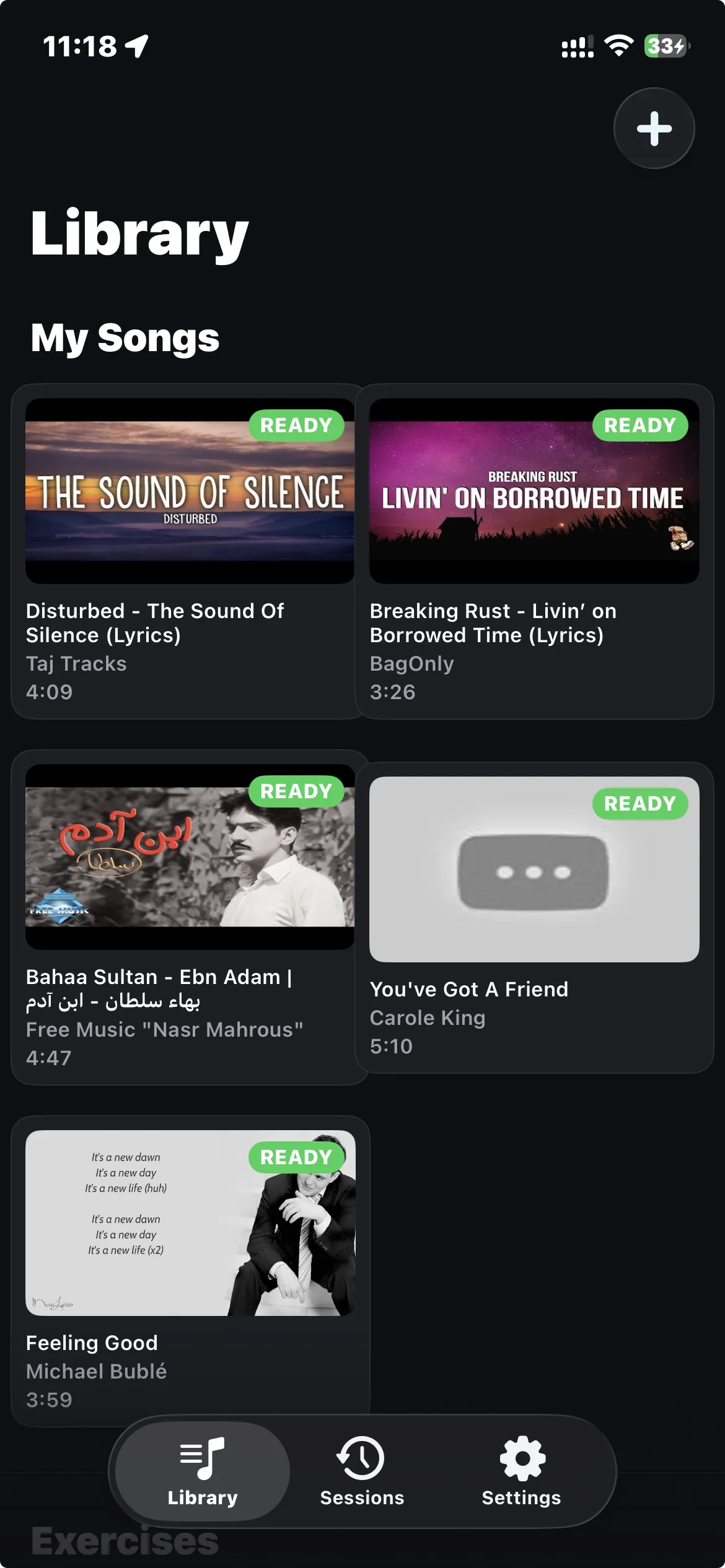
When you hit practice, the app plays the song while listening to you through the microphone. Your pitch shows up as a green line on top of the reference. The lyrics scroll in sync at the top of the screen. You get a score per phrase and an overall score for the session.
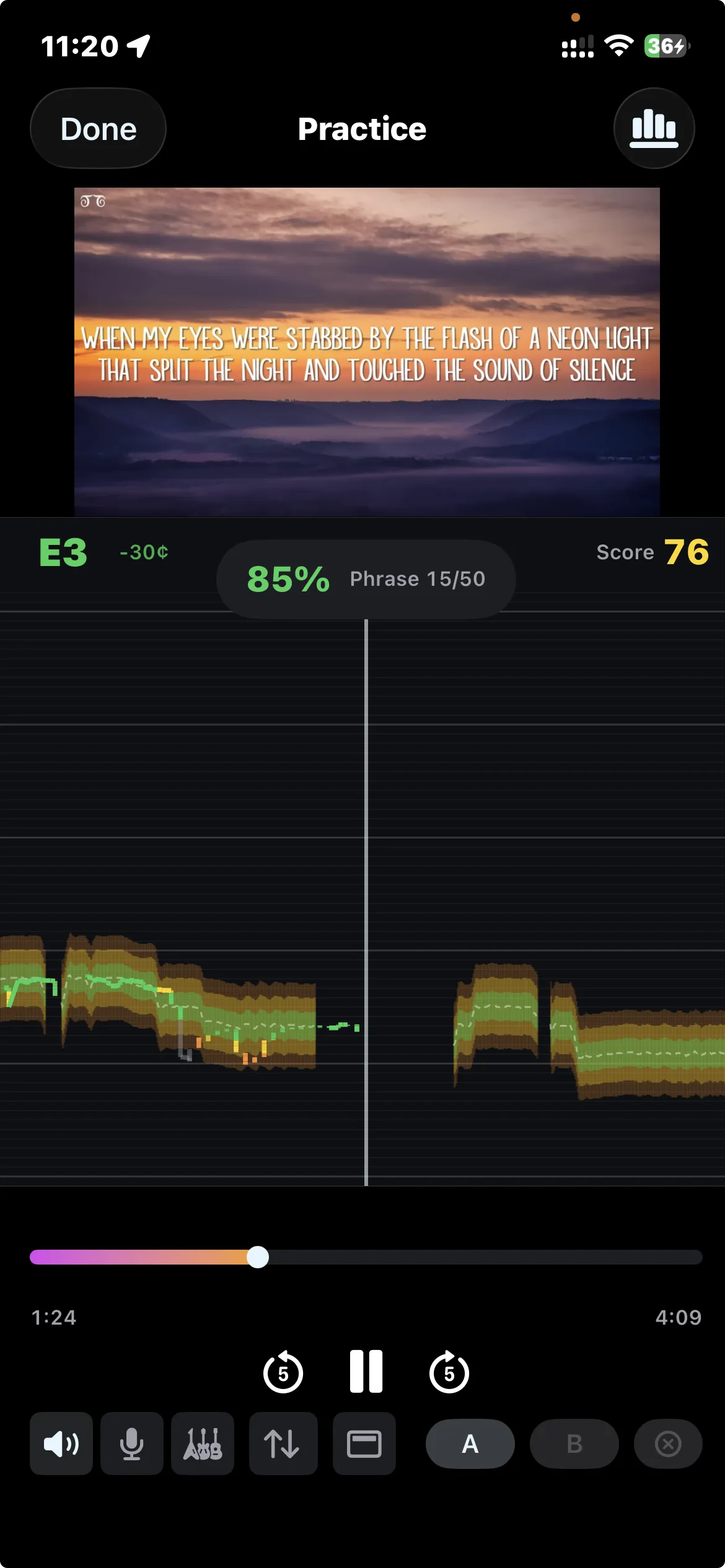
You can loop any section of the song. Struggling with the chorus? Set A-B markers, slow it down, repeat until it clicks. Switch audio modes too: original track, just the instrumental so you can karaoke any song, or just the isolated vocals to study the singer’s technique.
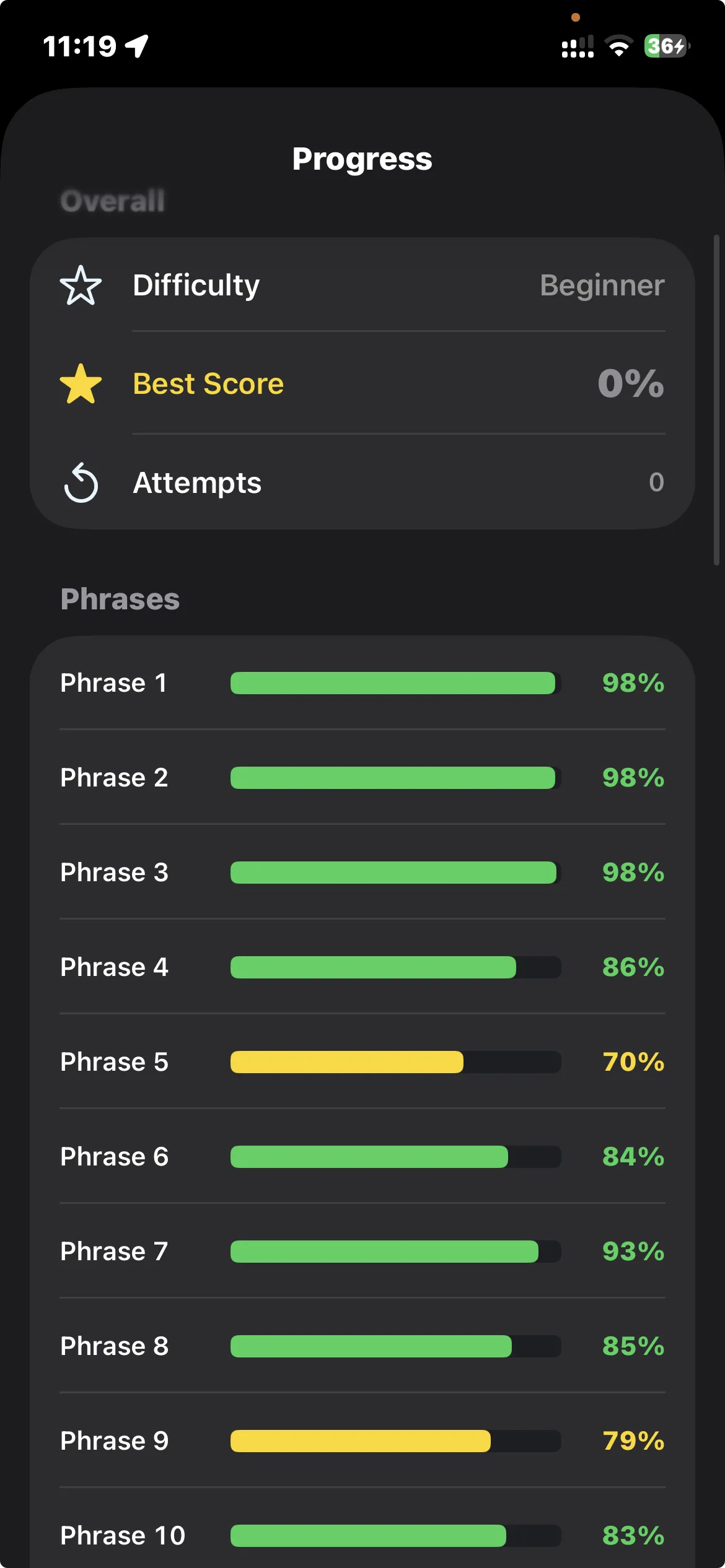
Scoring has three difficulty levels. Beginner gives you wide tolerance, advanced expects you to be almost spot on. The per-phrase breakdown tells you exactly which parts of a song you’re struggling with.
There are also vocal exercises: scales, arpeggios, intervals, vibrato. Same pitch detection and scoring.
One practical note: use headphones. Without them, the microphone picks up the song playing through the speakers and has to separate your voice from the playback, which makes pitch detection less accurate.
This project changed how I work with AI on apps.
Before, I’d open a conversation with an AI coding agent and start building feature by feature. It worked, but the further along you get, the more context the AI needs to hold, and things start drifting from what you originally had in mind.
With Intonavio I tried the opposite. Before writing a single line of code, I designed the entire application in documentation. Data models, API contracts, screen layouts described in text, component interfaces, the audio pipeline, the scoring algorithm. All of it written out and reviewed before any implementation.
The documentation covers architecture, API specs, audio pipeline, real-time pitch detection, scoring, and the rest.
Then I built it in phases. Twelve or more, with one or two prompts per phase. Each phase had the docs as input and working code as output. The AI wasn’t improvising. It was implementing a reviewed design.
Way less back-and-forth. Fewer “actually, that’s not what I meant” moments. The final result was much closer to what I originally had in my head.
For personal projects, I’m reaching a point where I don’t care much what the code looks like internally. Does it work? Is it tested? Is it secure? Can I modify it later? Good enough. The actual implementation is the AI’s job now.
What I spend my time on is the design. The documentation. Making sure I’ve thought through the screens, the data flows, the edge cases before implementation starts. That’s where the quality comes from.
I’m going to keep doing this. For Intonavio it worked better than anything I’ve tried before, and I want to see how far I can push it.
SwiftUI on iOS. AVAudioEngine for the mic and playback. NestJS backend with PostgreSQL, Redis queues, and a Python worker that does the pitch analysis (librosa + pYIN). Stems and pitch data sit on Cloudflare R2. Docker for everything.
Continue reading
My Polish parents and Egyptian in-laws share a WhatsApp group. I got tired of being the human relay, so I built a bot to translate for them.
I shipped real-time video translation and a WhatsApp bot to solve actual family problems without a development team. Here's the step-by-step breakdown.
Twenty years across QA, product, and engineering leadership took me from Warsaw to Cairo. Here's why I started writing about it.